For the last year, Mac power users have been living in a fragmented reality. We had OpenAI’s native app for quick hits and Claude’s desktop version for deep coding, but for Google’s ecosystem, we were still shackled to a Chrome tab.
That changed this week.
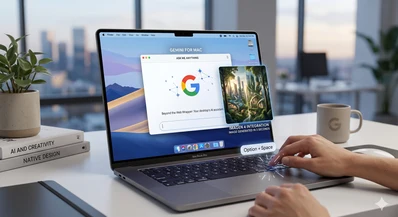
Google has finally dropped the native Gemini app for macOS, and it isn’t just a lazy port of the web interface. By leveraging Apple’s native Swift frameworks instead of a bloated Electron wrapper, Google is making a play for the most valuable real estate on your machine: the system-level shortcut.
The "Option + Space" Shift
The most immediate change to your workflow is the keyboard shortcut. While we’ve been trained to hit Cmd + Space for Spotlight, Gemini now claims Option + Space.
Triggering it brings up a sleek, "Liquid Glass" floating bar. It’s unobtrusive, sitting over your IDE, Final Cut, or browser. If you need more room for complex architectural prompts—like debugging a micro-frontend state—Option + Shift + Space expands it into a full-screen workspace.
The standout feature, however, is Screen Awareness. Unlike the web version, the native app can "see" your active windows. Whether you’re staring at a cryptic error log in Terminal or a complex spreadsheet, you can share the window directly with Gemini for real-time analysis without the manual copy-paste fatigue that has defined AI usage until now.
Built on Swift, Powered by 2.5 Pro
From a technical standpoint, the performance jump is noticeable. Because it’s built natively, the latency between prompt and execution feels significantly lower than the web-based "2.5 Pro" experience.
Google is also shipping this with Imagen 4 and Veo baked in. For content creators, this means generating high-fidelity assets or 30-second video clips (powered by Veo) happens in a side-panel while your primary workspace remains open. It’s a level of multitasking that traditional "AI in a tab" simply can’t match.
The "Guided Learning" Edge
Perhaps the most underrated addition is the Guided Learning mode. Instead of just dumping an answer, the desktop assistant can now walk you through complex subjects step-by-step. For Lead Engineers or Solutions Architects, this is a massive boon for onboarding team members to new stacks or deciphering legacy JSON-LD schemas without losing focus.
The Verdict: A Late Arrival with Better Gear
Google was undeniably late to the native desktop party, trailing behind Anthropic and OpenAI. But by waiting, they’ve managed to integrate deeper into the macOS ecosystem. The "Search" power is still there, but it’s now wrapped in a proactive assistant that understands what you’re looking at, not just what you’re typing.
If you’re looking to cut the cord with browser-bound AI, the native Gemini app is the most compelling reason to do so in 2026.